How to Implement AI Automation in Your Business: A Practical Step-by-Step Guide
Ninety-two percent of companies plan to increase their AI investment by 2028, according to McKinsey's 2025 report. Yet an MIT study found that 95% of generative AI pilots are failing to move past the experimental stage. The gap between buying AI tools and generating measurable business value is where most organizations stall — and it's almost never a technology problem. It's an implementation problem.
This guide walks you through a proven framework for implementing AI automation that actually delivers ROI, drawn from the patterns that separate the 6% of companies McKinsey identifies as AI high performers from the rest.
Why Most AI Automation Projects Fail (and How to Avoid It)
Before covering the how, it's worth understanding why so many implementations stall. The failure patterns are remarkably consistent across industries.
Automating bad processes. The most common mistake is layering AI on top of workflows that are already broken. If your lead qualification process involves three redundant handoffs and an outdated spreadsheet, automating it just produces faster bad outcomes. Fix the process first, then automate.
No clear success metrics. Teams deploy AI tools without defining what success looks like. "Improve efficiency" is not a measurable goal. "Reduce invoice processing time from 14 days to 3 days" gives you something to track and optimize against.
Starting too big. Organizations try to transform five departments simultaneously, stretch resources thin, lose momentum, and shelve the initiative. PwC's 2026 AI predictions reinforce this: technology delivers only about 20% of an initiative's value — the other 80% comes from redesigning work around the technology.
Choosing generic tools over purpose-built solutions. MIT's research found that purchasing specialized AI tools from vendors and building partnerships succeeds roughly 67% of the time, while internal builds succeed only one-third as often. Generic tools like ChatGPT work well for individual productivity but stall in enterprise environments because they don't adapt to specific workflows.
Understanding these patterns upfront lets you sidestep months of wasted effort.
Step 1: Audit Your Operations for Automation Opportunities
Every successful AI implementation starts with a clear-eyed look at where your business actually spends time and money. The goal is to identify specific workflows — not departments, not vague categories — where AI automation can create measurable impact.
How to Run an Effective Automation Audit
Start by mapping your highest-volume workflows across departments. For each workflow, document the following:
- Volume — How many times per week or month does this process run?
- Time per instance — How many human hours does each run consume?
- Error rate — How often do mistakes occur, and what do they cost?
- Decision complexity — Does the process follow consistent rules, or does it require nuanced judgment?
- System touchpoints — How many different tools or platforms does the workflow cross?
Processes that are high-volume, rule-based, and cross multiple systems are your strongest AI automation candidates. Customer service ticket routing, invoice processing, lead scoring, data entry across platforms, and report generation consistently rank as the highest-ROI starting points.
BCG's research shows that customer support functions currently generate 38% of AI's total business value, followed by operations at 23% and marketing and sales at 20%. Use these benchmarks to prioritize, but validate against your own data — your biggest time sinks may be elsewhere.
Red Flags That a Process Isn't Ready
Not every workflow is a good automation candidate right now. Hold off if the process has no documented standard operating procedure, relies heavily on tribal knowledge, involves data that's siloed in systems without API access, or changes fundamentally every few months. Stabilize and standardize first, then automate.
Step 2: Define Clear Objectives and Success Metrics
Once you've identified your target workflows, define what success looks like before selecting any tools. This prevents the common trap of buying software and then searching for a problem it can solve.
Set SMART Automation Goals
For each workflow you plan to automate, establish specific, measurable targets:
- Processing time reduction — "Reduce customer refund processing from 48 hours to under 4 hours"
- Cost savings — "Cut monthly data entry labor costs by 60% within 6 months"
- Error reduction — "Lower invoice processing errors from 8% to under 1%"
- Throughput increase — "Handle 3x current ticket volume without adding headcount"
- Revenue impact — "Increase lead-to-meeting conversion rate by 25% through automated qualification and outreach"
These metrics become your implementation scorecard. Organizations that track KPIs for their AI solutions are significantly more likely to achieve meaningful value, according to McKinsey's 2025 state of AI report. Companies seeing 5%+ EBIT impact from AI consistently embed performance tracking into their AI programs from day one.
Calculate Your Baseline
You can't measure improvement without a baseline. Before deploying anything, capture your current numbers: average processing time, cost per transaction, error frequency, employee hours spent, and customer satisfaction scores for the workflows you're targeting. This baseline becomes your before-and-after comparison.
Step 3: Choose the Right Level of AI Automation
AI automation exists on a spectrum. Matching the right technology to the right workflow complexity is critical — overbuilding wastes budget, underbuilding limits impact.
Three Levels of Business AI Automation
Level 1 — Task automation (AI-assisted tools). These handle single, repetitive tasks within an existing workflow. Examples include AI-powered email drafting, automated data extraction from documents, chatbots for FAQ handling, and smart scheduling assistants. Implementation is fast (days to weeks), costs are low ($50–$500/month), and ROI appears quickly. Start here for quick wins.
Level 2 — Workflow automation (integrated AI). This connects multiple steps in a process using AI for decision-making between steps. Think automated lead scoring that triggers personalized email sequences based on behavior, or invoice processing that extracts data, validates against purchase orders, flags anomalies, and routes approvals. Implementation takes weeks to months and costs range from $500–$5,000/month depending on the platform and integrations.
Level 3 — Autonomous AI agents. These operate independently across systems to achieve goals with minimal human oversight. An AI agent managing your entire returns process — receiving the request, verifying eligibility, generating shipping labels, updating inventory, processing refunds, and sending confirmations — operates at this level. Implementation takes months, costs start around $2,000–$10,000+/month for enterprise solutions, and requires careful governance. Gartner predicts that 40% of enterprise applications will feature task-specific AI agents by 2026, up from less than 5% in 2025.
Your audit from Step 1 tells you which level each workflow needs. Most businesses should start at Level 1 or 2 and graduate processes to Level 3 as they build internal capability and confidence.
Step 4: Select Your Technology Stack
With your workflows mapped, metrics defined, and automation levels identified, you can now make informed technology decisions.
Evaluation Criteria That Matter
Prioritize these factors when evaluating AI automation platforms:
- Integration depth — Does it connect natively with your existing CRM, ERP, helpdesk, and communication tools? Automation that requires manual data transfer between systems defeats the purpose.
- Customization flexibility — Can you configure the AI to match your specific business rules, approval workflows, and exception handling requirements?
- Scalability — Will the platform handle 10x your current volume without architectural changes?
- Data governance — Does it meet your compliance requirements (GDPR, HIPAA, SOC 2) and give you control over where data is stored and processed? Sixty percent of organizations cite data privacy and security as a major hurdle to AI automation, per Deloitte's 2025 research.
- Vendor viability — Is the company well-funded, growing, and investing in product development? AI is evolving fast, and you need a vendor that keeps pace.
Build vs. Buy
MIT's research makes this clear: buying purpose-built tools and forming vendor partnerships succeeds at roughly twice the rate of internal builds. Unless AI development is your core competency, buy or partner for your first implementations. You can build custom solutions later once you have operational experience and clear requirements that off-the-shelf tools can't meet.
Step 5: Run a Focused Pilot
Resist the urge to deploy across the entire organization. A focused pilot with one well-defined workflow lets you validate your assumptions, refine the implementation, and build an internal case study before committing larger budgets.
Pilot Design Framework
- Select one workflow from your audit that has clear metrics, manageable scope, and a willing team. Customer service ticket routing or invoice processing are reliable first pilots.
- Set a timeline — 30 to 90 days is sufficient for most business process pilots.
- Define success criteria in advance — what specific metric improvements would justify expanding?
- Assign an owner — someone accountable for the pilot's success who can make quick decisions and remove blockers.
- Run it alongside the existing process initially, comparing AI-driven outputs against your manual baseline.
- Document everything — what worked, what broke, what surprised you. This becomes your implementation playbook for the next workflow.
Common Pilot Mistakes to Avoid
Don't pick your most complex workflow for the first pilot. Don't set a six-month timeline that lets urgency fade. Don't skip the baseline measurement — without before-and-after data, you can't prove value to leadership. And don't ignore the people side: the team working the pilot needs training, clear expectations, and the understanding that the goal is augmentation, not replacement.
Step 6: Redesign Workflows Around AI (Not the Other Way Around)
This step separates organizations that get incremental gains from those that achieve transformative results. PwC's recommendation is direct: 80% of an AI initiative's value comes from redesigning work, not from the technology itself.
After your pilot validates that the AI can perform the target tasks reliably, step back and ask a harder question: if we were building this workflow from scratch with AI as a core capability, what would it look like?
This often means eliminating steps that only existed because humans needed them (manual status updates, reconciliation checks, handoff emails), restructuring team roles so humans focus on judgment-heavy decisions while AI handles execution, and creating new feedback loops where AI performance data informs process improvements continuously.
McKinsey's research found that AI high performers — the companies seeing 5%+ EBIT impact — are more than three times more likely to pursue transformative workflow redesign rather than simply automating existing processes in place.
Step 7: Scale Based on Evidence
Once your pilot proves ROI and you've redesigned the target workflow, scale methodically.
A Practical Scaling Sequence
- Expand the proven workflow — Roll the validated automation out to additional teams, regions, or product lines using the same process.
- Tackle adjacent workflows — Move to the next highest-priority workflow from your audit, applying your lessons learned.
- Increase automation depth — Graduate Level 1 automations to Level 2, and Level 2 to Level 3, as your team builds capability and confidence.
- Build a center of excellence — PwC recommends establishing what they call an "AI studio" — a centralized hub with reusable technical components, use case assessment frameworks, testing sandboxes, deployment protocols, and skilled people. This structure prevents duplicate efforts and accelerates future implementations.
Governance as You Scale
Gartner estimates that 70% of enterprises will implement AI governance frameworks by 2026, driven by regulatory requirements like the EU AI Act and the operational need to manage AI systems at scale. As you move from one pilot to multiple automated workflows, establish clear policies for human-in-the-loop checkpoints on high-stakes decisions, regular model performance reviews, data access controls and audit trails, and exception handling procedures when AI encounters edge cases.
Without governance, Gartner warns that over 40% of agentic AI projects may be canceled by 2027 due to lack of measurable ROI — not because the technology failed, but because ungoverned implementations produce inconsistent results that erode organizational trust.
What This Looks Like in Practice
A mid-market e-commerce company might start by automating customer service FAQ responses (Level 1), saving 20 hours of agent time per week. After proving that out, they automate order status inquiries end-to-end (Level 2), integrating the AI with their order management system. Six months later, they deploy an AI agent that handles the full returns workflow autonomously (Level 3) — processing the request, checking eligibility, generating labels, updating inventory, and issuing refunds — cutting average resolution time from 3 days to 20 minutes.
A B2B SaaS company might begin with AI-powered lead scoring (Level 1), then automate the entire inbound lead qualification and meeting booking workflow (Level 2), and eventually deploy AI agents that research prospects, draft personalized outreach, follow up autonomously, and update the CRM through the full sales development cycle (Level 3).
The pattern is consistent: start narrow, prove value, redesign the workflow, then expand.
The Bottom Line
Implementing AI automation successfully is less about picking the right tool and more about following the right process. Audit your operations to find specific high-impact workflows. Define measurable success criteria before selecting technology. Start with a focused pilot that generates hard evidence. Redesign workflows around AI rather than bolting AI onto broken processes. Then scale based on what the data tells you — not what a vendor's slide deck promises. The companies capturing real value from AI right now aren't the ones with the biggest budgets. They're the ones with the most disciplined implementation process.
Suggested Internal Links:
- What Is Agentic AI and How It Can Help Your Business — Link from the Level 3 / AI agents section
- AI Agents vs Chatbots: Key Differences and Which One Your Business Actually Needs — Link from the "Choose the Right Level" section when discussing chatbots vs agents
Suggested External Linking Opportunities:
- McKinsey's 2025 State of AI report (data on high performers and EBIT impact)
- PwC's 2026 AI Predictions (80/20 rule on technology vs. workflow redesign)
- Gartner's prediction on 40% of enterprise apps featuring AI agents by 2026
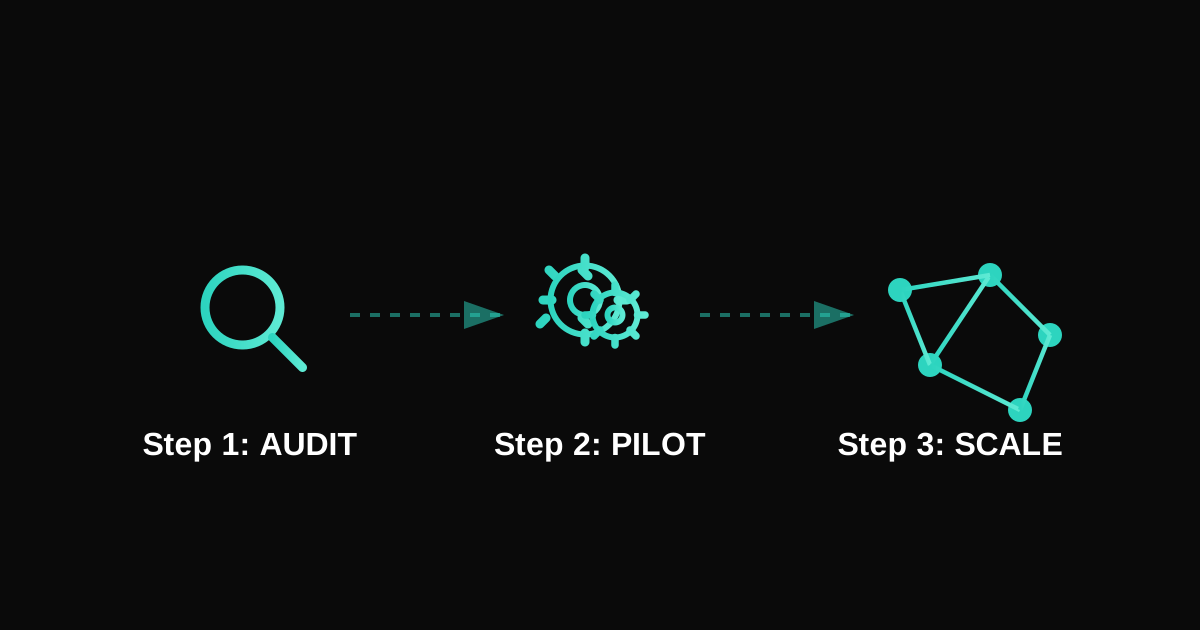
Suggested Featured Image Concept: A clean visual showing a stepped implementation roadmap — starting with a simple magnifying glass (audit) on the left, progressing through gears (pilot), to a fully connected system diagram (scale) on the right. Use a forward-moving arrow motif to convey progression. Minimal, modern style in your brand colors.
Suggested Schema Markup: Article, HowTo (for the 7-step framework)