AI Agents vs Chatbots: Key Differences and Which One Your Business Actually Needs
Your team fields the same twenty customer questions every day. A chatbot handles those with ease. But what about the complex requests — the ones that require pulling data from your CRM, checking inventory, issuing a refund, and sending a follow-up email? That's where AI agents enter the picture, and where the distinction between these two technologies starts to matter for your bottom line.
Both AI agents and chatbots use artificial intelligence. Both interact with users through text or voice. But the similarities largely end there. Understanding what separates them — and where each one fits in your operations — can save you months of wasted implementation time and thousands in misdirected budget.
What Chatbots Actually Do (and Where They Stop)
A chatbot is software designed to simulate conversation with users. Traditional chatbots follow scripted rules: a customer types a keyword, the bot serves a pre-written response. Modern chatbots powered by large language models (LLMs) have gotten significantly smarter — they understand context, handle follow-up questions, and generate natural-sounding replies.
But even the most advanced chatbot shares one fundamental limitation: it waits for a human to start the conversation, and it operates within the boundaries of that single interaction. A chatbot answers questions. It doesn't pursue goals.
Common chatbot use cases include:
- Customer support FAQ automation — answering questions about return policies, shipping timelines, or account settings
- Lead qualification — asking visitors a series of questions and routing them to the right sales rep
- Appointment scheduling — walking users through available time slots
- Order status lookups — retrieving tracking information when a customer provides an order number
Chatbots excel at high-volume, repeatable interactions. Telecom companies use them to walk customers through bill payments. E-commerce brands deploy them to handle the 80% of support tickets that follow predictable patterns. They reduce wait times, cut support costs, and free up human agents for complex issues.
Where chatbots fall short is anything that requires independent decision-making, multi-step execution, or coordination across multiple systems.
What AI Agents Do Differently
An AI agent is autonomous software that can plan tasks, reason through problems, retain context across interactions, and execute multi-step workflows without human intervention. You give an AI agent a goal. It figures out how to accomplish that goal on its own.
The difference is structural, not just cosmetic. A chatbot responds to prompts. An AI agent pursues objectives.
Consider a practical example. A customer wants to return a defective product. A chatbot can answer the question "What's your return policy?" and provide a link. An AI agent can process the return request, generate a shipping label, update the inventory system, adjust the customer's account, issue a refund, and send a confirmation email — all triggered by that single customer interaction, with no human stepping in between tasks.
AI agents accomplish this through several capabilities that chatbots lack:
- Autonomous planning — breaking complex goals into subtasks and sequencing them logically
- Tool use and system integration — connecting to CRMs, ERPs, databases, APIs, and third-party services to take action
- Memory and context persistence — retaining information across sessions to personalize interactions and build on previous work
- Adaptive reasoning — adjusting their approach when they encounter unexpected inputs or errors
This makes AI agents suited for workflows that span multiple systems, require judgment calls, or involve steps that would traditionally need a human coordinator.
Side-by-Side Comparison: AI Agents vs Chatbots
| Capability | Chatbot | AI Agent |
|---|---|---|
| Interaction model | Responds to user prompts | Pursues goals autonomously |
| Task complexity | Single-turn or short conversations | Multi-step workflows across systems |
| Decision-making | Limited to predefined logic or LLM responses | Plans, reasons, and adapts in real time |
| System integration | Basic (knowledge base lookups, simple APIs) | Deep (CRM, ERP, databases, email, payments) |
| Memory | Session-based or stateless | Persistent across interactions |
| Human oversight needed | Low for simple tasks | Low for routine workflows, human-in-the-loop for high-stakes decisions |
| Setup complexity | Low to moderate | Moderate to high |
| Cost | $50–$500/month for most platforms | $2,000–$10,000+/month for enterprise solutions |
Where Each Technology Fits in Your Business
Choosing between a chatbot and an AI agent isn't about which is "better." It's about matching the tool to the workflow.
When a Chatbot Is the Right Choice
Stick with a chatbot when the interaction is straightforward and the expected output is a response, not an action.
Customer service deflection is the classic use case. If 70–80% of your inbound support tickets are variations of the same ten questions, a well-configured chatbot can handle them instantly, around the clock. Gartner projects that 25% of organizations will use chatbots as their primary customer service channel by 2027 — and that makes sense for high-volume, low-complexity environments.
Chatbots also work well for guided selling on e-commerce sites, where they help visitors narrow product choices based on preferences, and for internal knowledge bases, where employees can query company policies or HR information conversationally instead of digging through documentation.
When an AI Agent Makes More Sense
Deploy an AI agent when the workflow involves multiple steps, crosses system boundaries, or requires the software to make decisions along the way.
Sales operations benefit significantly. An AI agent can monitor your CRM for new leads, score them against your ideal customer profile, draft personalized outreach sequences, schedule follow-ups, and update deal stages — tasks that would otherwise require a sales development rep spending hours on manual data entry and email drafting.
Finance and accounting teams use AI agents to reconcile invoices, flag anomalies, route approvals, and update ledgers across accounting software. IT operations teams deploy them for incident triage — an agent can detect an alert, diagnose the likely root cause, attempt automated remediation, and escalate to a human only when the fix requires judgment beyond its parameters.
Supply chain management is another strong fit. An AI agent can track shipments across carriers, predict delays based on weather and logistics data, adjust reorder points dynamically, and notify procurement teams when supplier lead times shift — all without someone manually monitoring dashboards.
The Hybrid Approach Most Businesses Actually Need
In practice, most organizations benefit from both. A chatbot handles the front-line customer interaction. When the request exceeds what the chatbot can resolve — a complex return, a multi-product comparison requiring inventory checks, a billing dispute that needs account analysis — it escalates to an AI agent that can actually execute the resolution.
This layered approach keeps costs manageable (chatbots are far cheaper to operate at scale) while ensuring complex workflows don't bottleneck at a human queue.
Key Considerations Before You Implement
1. Map your workflows before choosing the tool
Start with the actual process, not the technology. Document the steps involved in the workflow you want to automate. If it's a linear Q&A flow, a chatbot is sufficient. If the process branches, touches multiple systems, or requires conditional logic, you need agent capabilities.
2. Evaluate your existing tech stack
AI agents derive their power from integrations. If your CRM, helpdesk, ERP, and communication tools don't offer APIs or webhook support, an agent's ability to take autonomous action will be limited. Audit your systems for integration readiness before committing to an agent platform.
3. Define your human-in-the-loop boundaries
AI agents can operate autonomously, but that doesn't mean they should handle every decision without oversight. Determine which actions require human approval — refunds above a certain dollar amount, changes to customer contracts, communications with VIP accounts — and build those checkpoints into the agent's workflow.
4. Calculate the real cost-benefit
Chatbot platforms typically run $50–$500 per month for small to mid-sized businesses. Enterprise AI agent solutions start around $2,000 monthly and scale significantly higher. But the ROI calculation isn't just about software cost. Leading implementations report 148–200% ROI and over $300,000 in annual cost savings through reduced manual work, faster resolution times, and fewer errors.
Factor in the cost of the human labor the agent replaces or augments, not just the subscription price.
5. Plan for data privacy and compliance
Both chatbots and AI agents process customer data. Ensure your chosen solution meets your industry's compliance requirements — GDPR, HIPAA, SOC 2, or whatever applies. AI agents, because they access and modify data across multiple systems, require particularly careful attention to data governance and access controls.
How to Get Started
-
Audit your highest-volume workflows — Identify the processes that consume the most human hours or create the longest customer wait times. These are your strongest automation candidates.
-
Start with a chatbot for quick wins — Deploy a chatbot to handle your top FAQ topics and simple transactional requests. Most platforms allow you to go live within a week. This builds organizational comfort with AI-driven interactions.
-
Identify agent-ready processes — Look for workflows where the chatbot hits its limits — requests that require pulling data from multiple systems, making conditional decisions, or executing multi-step actions. These are your AI agent candidates.
-
Run a pilot with a single workflow — Choose one well-defined process (such as returns processing or lead qualification-to-outreach) and implement an AI agent for that specific use case. Measure resolution time, error rate, and customer satisfaction against the manual baseline.
-
Scale based on measurable outcomes — Expand agent deployment to additional workflows only after the pilot demonstrates clear ROI. Use the performance data to build the business case for broader adoption.
The Bottom Line
Chatbots and AI agents aren't competing technologies — they're different tools built for different levels of complexity. Chatbots handle conversations. AI agents handle outcomes. The businesses getting the most value from AI aren't choosing one over the other. They're deploying chatbots for speed and volume, and AI agents for the complex, cross-system workflows that used to require dedicated human coordinators. Start with the workflow, match it to the right tool, and measure everything.
Suggested Internal Links:
- What Is Agentic AI and How It Can Help Your Business — Link from the AI agent definition section
Suggested External Linking Opportunities:
- Gartner forecast on chatbots as primary customer service channel
- Industry ROI statistics on AI chatbot implementations
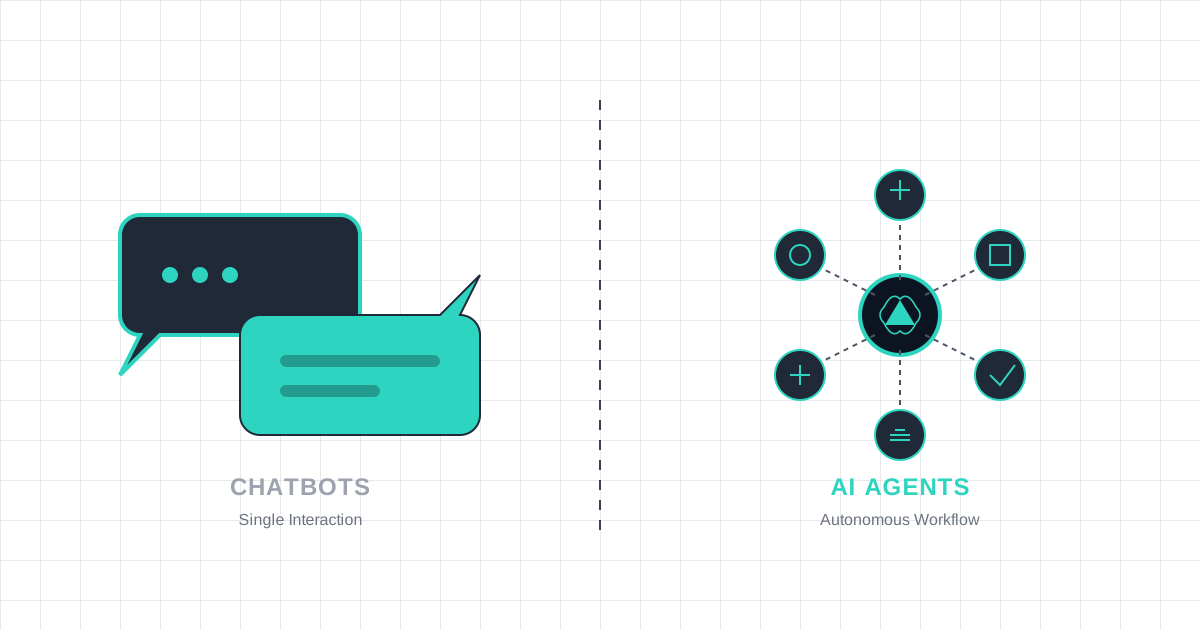
Suggested Featured Image Concept: A clean split-screen illustration — left side shows a simple chat bubble exchange (representing chatbots), right side shows an interconnected network of systems with automated workflow arrows (representing AI agents). Use your brand colors with a modern, minimal aesthetic.
Suggested Schema Markup: Article, FAQ (for the comparison table and considerations section)