AI Chatbots for Small Business Websites: The Complete Guide
Every visitor who lands on your website and leaves without getting an answer is a missed opportunity. For most small businesses, those missed moments add up to thousands of pounds in lost revenue every year — not because the product isn't right, but because no one was there to help at the right time.
An AI chatbot for your small business website changes that equation entirely. This guide covers everything you need to know: how they work, which tools are worth your money, what they cost, and how to set one up that actually converts visitors into customers.
What Is an AI Chatbot (and How Is It Different from a Basic Live Chat Widget)?
A basic live chat widget shows a chat box on your website and routes messages to a human operator — usually you or a team member. It's only useful when someone is actively monitoring it.
An AI chatbot uses natural language processing (NLP) to understand what a visitor is asking and respond automatically — at any hour, without human input. Modern AI chatbots don't just match keywords; they understand context, handle follow-up questions, and escalate to a human when the conversation requires it.
For SMEs, the distinction matters because:
- You're rarely available to monitor live chat continuously
- Many enquiries are repetitive and don't require a human response
- Speed of response is one of the strongest predictors of lead conversion — research by the Harvard Business Review found that businesses responding to a lead within five minutes are 100 times more likely to connect than those responding after 30 minutes
An AI chatbot ensures you're always "available" — even when you're not.
What Can an AI Chatbot Do for Your Business?
The answer depends on how well you configure it, but the core use cases for SMEs are consistent:
Answer FAQs Automatically
This is the bread-and-butter application. Train your chatbot on your existing FAQ page, service descriptions, pricing information, and policies, and it handles the bulk of routine enquiries without any human involvement.
For a service business, this might mean answering questions about availability, turnaround times, and what's included in a package. For an ecommerce business, it covers shipping, returns, and product compatibility questions.
Capture and Qualify Leads
A well-designed chatbot doesn't just answer questions — it asks them. By building a short qualification sequence into the conversation flow, your chatbot can identify high-intent prospects, gather their key details, and route them to you with context already in hand.
A typical qualification flow for a service business looks like:
- Greet the visitor and offer help
- Ask what they're looking for
- Ask a qualifying question relevant to your service (budget range, timeline, business size)
- Collect their name and email or phone number
- Offer to book a call or confirm a human will follow up
This happens automatically, 24 hours a day, including bank holidays.
Book Appointments
Integrations with calendar tools like Calendly or Google Calendar allow AI chatbots to show real-time availability and book appointments directly within the chat window. No back-and-forth emails, no scheduling friction.
For consultants, therapists, tradesperson businesses, and any service with a defined booking process, this alone justifies the cost of a chatbot tool.
Reduce Cart Abandonment (Ecommerce)
For SMEs selling online, AI chatbots can trigger proactively when a visitor has been on a product page for a set amount of time or when they show exit intent. A timely "Can I help you find the right option?" message from a chatbot converts a meaningful percentage of visitors who would otherwise leave.
The Best AI Chatbot Tools for Small Businesses
Tidio — Best for SMEs Starting Out
Tidio is built for small business use cases. Its AI agent, Lyro, is trained directly on your website content and FAQ documents and can handle up to 70% of common customer questions without human input. The interface is clean, setup is genuinely straightforward, and the free plan covers the basics for many micro-businesses.
- Free plan: Available (limited conversations)
- Paid plans: From approximately £19/month
- Best for: Service businesses, small ecommerce stores, consultants
Intercom Fin — Best for Growing SMEs
Intercom's Fin is one of the most capable AI agents on the market. It uses GPT-4 to understand and respond to complex, multi-part questions with a level of nuance that simpler chatbots can't match. It connects natively with Intercom's broader customer communications platform.
- Pricing: Resolution-based model (you pay per successful AI resolution, typically $0.99–$1.99 each)
- Best for: SMEs with higher ticket volumes or more complex enquiry types
Crisp — Best Value for Multi-Channel Teams
Crisp combines live chat, AI chatbot, email, and social messaging into one inbox. The AI chatbot feature, MagicReply, suggests responses in real time to human agents rather than fully automating conversations — a useful middle ground for teams who want AI assistance without full automation.
- Paid plans: From approximately £25/month for teams
- Best for: SMEs managing enquiries across multiple channels
Drift — Best for B2B Lead Generation
Drift is purpose-built for pipeline generation. Its AI chatbot is designed to identify which companies are visiting your site (using reverse IP lookup), qualify prospects using custom playbooks, and route high-value leads to sales immediately.
- Pricing: Custom (premium product aimed at B2B businesses)
- Best for: B2B service businesses or SaaS SMEs with a defined sales process
How Much Does an AI Chatbot Cost?
Cost varies significantly by tool and conversation volume:
| Tool | Entry Price | AI Included | Best For |
|---|---|---|---|
| Tidio | Free / £19/month | Yes (Lyro) | Small ecommerce, service SMEs |
| Crisp | £25/month | Partial (MagicReply) | Multi-channel teams |
| Intercom Fin | ~£1/resolution | Yes (GPT-4 powered) | Growing SMEs, complex queries |
| Drift | Custom pricing | Yes | B2B sales-led businesses |
For most SMEs just starting out, Tidio or Crisp represent the best balance of capability and cost. You can always migrate to a more powerful tool as your requirements grow.
How to Set Up an AI Chatbot That Actually Converts
A chatbot that frustrates visitors is worse than no chatbot at all. These setup steps make the difference between a tool that converts and one that annoys.
1. Define Your Chatbot's Purpose — Don't try to do everything at once
Before you configure anything, decide on the primary job: FAQ handling, lead capture, appointment booking, or cart recovery. Build for that job first. You can expand the chatbot's capabilities once the core function works well.
2. Build Your Knowledge Base Thoroughly — Garbage in, garbage out
Your chatbot is only as good as the information it's trained on. Start with your FAQ page, then add detail from your service descriptions, pricing page, policies, and any common email responses you find yourself writing repeatedly. The more complete the knowledge base, the fewer "I don't know" responses visitors encounter.
3. Write Conversational Responses, Not Corporate Copy — Tone matters
Review the default responses your chatbot generates and rewrite anything that sounds stilted or robotic. Your chatbot is a brand touchpoint. It should sound like your business — approachable, clear, and confident.
4. Set Up Human Handoff Correctly — Know when to step in
Configure your chatbot to escalate to a human when a visitor explicitly asks to speak to someone, when the conversation involves a complaint or refund, or when the query falls outside the chatbot's knowledge. A smooth handoff preserves trust; a chatbot that tries (and fails) to handle everything destroys it.
5. Review Transcripts Weekly for the First Month — Learn from every conversation
In the first four weeks, read every chatbot conversation. You'll quickly spot gaps in the knowledge base, questions the bot is mishandling, and opportunities to improve the qualification flow. This investment in early iteration pays off compoundingly.
Key Considerations Before You Go Live
GDPR compliance is non-negotiable
AI chatbots collect personal data — names, email addresses, and the content of conversations. If you operate in the UK or EU, you must have a Data Processing Agreement (DPA) with your chatbot provider, disclose chatbot use in your privacy policy, and give users a way to request data deletion. Most major tools provide GDPR-compliant infrastructure, but verify before you deploy.
Don't hide the fact it's a bot
Visitors are sophisticated enough to find out, and the trust damage when they do is significant. Name your chatbot, and be transparent that it's AI-powered. Many tools let you set a bot avatar and name — lean into it rather than pretending it's a human.
Mobile experience matters
More than half of web traffic comes from mobile devices. Test your chatbot on mobile thoroughly before launch. Oversized chat windows, unresponsive text inputs, and slow load times on mobile will negate the conversion benefit entirely.
The Bottom Line
An AI chatbot for your small business website isn't a luxury or a gimmick — for many SMEs, it's one of the highest-ROI investments available right now. It captures leads while you sleep, answers questions without you lifting a finger, and gives every visitor an immediate response that builds confidence in your business.
Set it up properly, maintain the knowledge base, and review the conversations regularly. Done right, it becomes one of the most reliable members of your team — and the only one who never takes a sick day.
Internal linking opportunities:
- Link "long-tail keywords" section to your SEO keyword research guide
- Link "GDPR compliance" to your data privacy guide or GDPR checklist for SMEs
- Link "appointment booking" to a guide on automating your service business
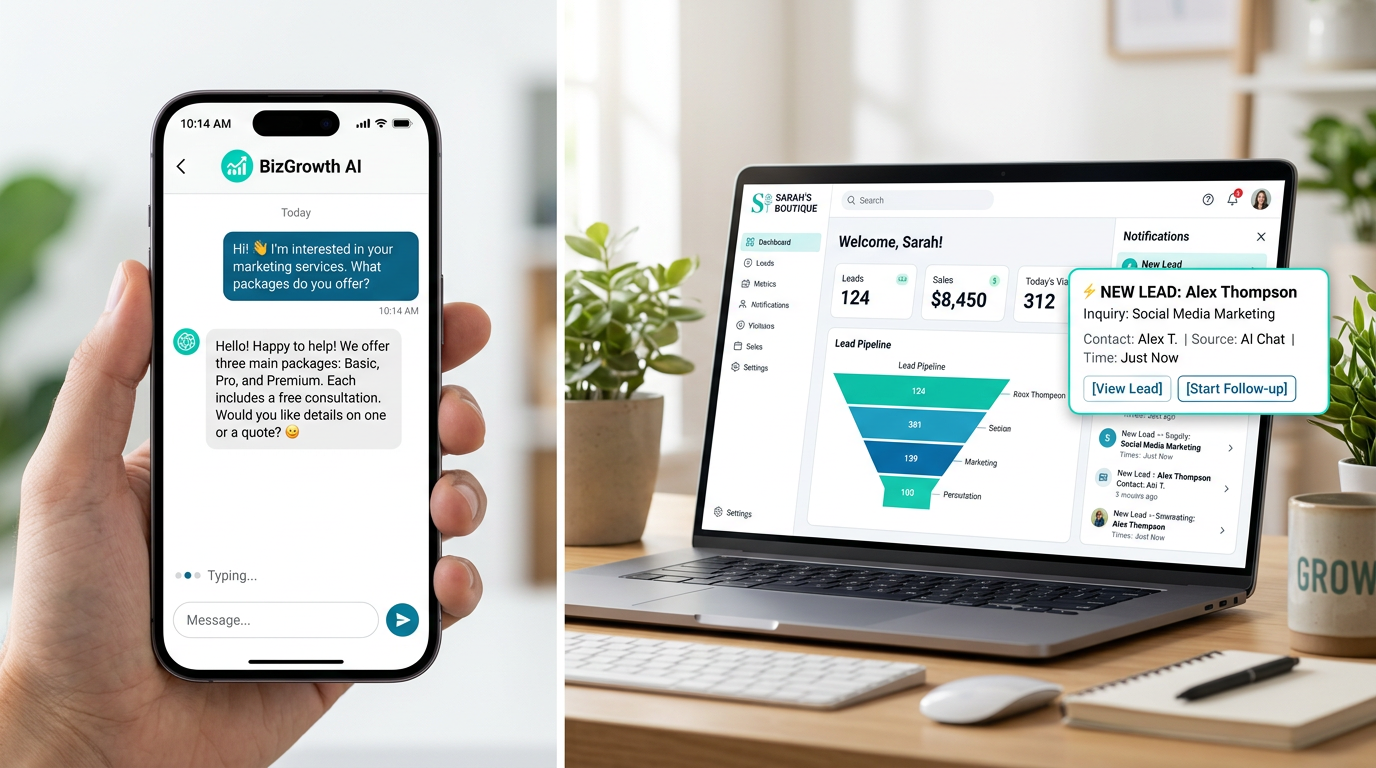
Featured image concept: Clean split-screen — left shows a phone screen with a friendly AI chat conversation in progress (question about services, instant helpful reply), right shows a small business dashboard with a new lead notification. Bright, modern design with subtle brand colours.
Schema markup: FAQPage schema for the "What Can an AI Chatbot Do" section, Product schema for the tool comparison table, and Article schema at the page level.