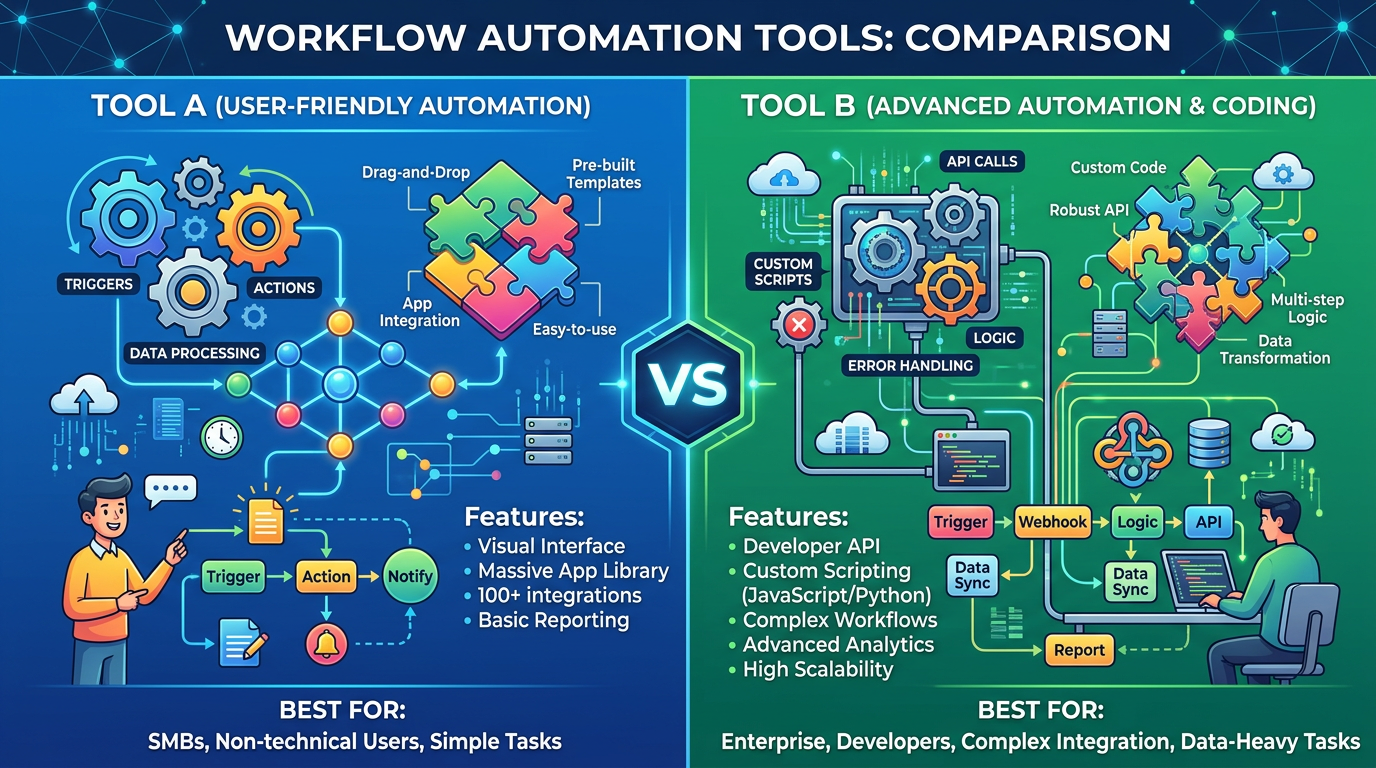
Quick Comparison Table
| Feature | Zapier | Make |
|---|---|---|
| Ease of Setup | Very easy, intuitive UI | Steeper learning curve, more powerful |
| AI Integrations | GPT-4, Claude, Gemini | GPT-4, Claude, Gemini, plus webhooks |
| App Integrations | 7,000+ apps | 1,400+ apps |
| Starting Price | $29.99/month | $10-12/month (RM 37-44) |
| Automation Complexity | Simple to moderate | Simple to highly complex |
| Execution Speed | Faster task execution | Varies by module efficiency |
| Free Plan | Limited, 100 tasks/month | 40 executions/month |
| Best For | Quick setup, simple flows | Advanced workflows, cost efficiency |
| AI Workflow Support | Good | Excellent |
| Learning Curve | Low | Medium to high |
Zapier Overview
Zapier has established itself as the go-to automation platform for small businesses and individual entrepreneurs since 2011. The platform connects thousands of applications and services, automating repetitive tasks without requiring technical expertise.
For AI automation specifically, Zapier excels at connecting language models like GPT-4, Claude, and Google's Gemini directly into your workflows. You can trigger AI analysis, content generation, or classification tasks automatically when specific events occur across your tech stack.
Key strengths: Simple visual workflow builder, extensive pre-built templates, dedicated customer support on paid plans, and seamless integrations with popular business tools like Slack, Google Workspace, HubSpot, and Salesforce.
Notable limitations: Monthly pricing starts higher than competitors, fewer options for advanced users who need complex conditional logic, and less flexibility for building truly custom integrations.
Make Overview
Make (formerly Integromat) has gained significant traction as the more sophisticated alternative to Zapier. It's particularly popular in European markets and among users who need to build complex, multi-step workflows with advanced conditional routing.
For AI automation, Make provides robust support for AI model integrations through HTTP requests, custom webhooks, and native connectors. The platform's module-based architecture allows you to chain together AI operations in ways that feel more like traditional programming.
Key strengths: Significantly lower pricing starting at $10/month, powerful visual scenario builder with advanced logic capabilities, excellent value for complex workflows, and flexibility that appeals to developers and power users.
Notable limitations: Steeper learning curve compared to Zapier, smaller integration ecosystem (though still comprehensive for most businesses), less polished user interface, and smaller community for template sharing.
Head-to-Head Comparison
Ease of Use
Zapier wins decisively on this criterion. The platform was designed with non-technical users in mind. Setting up your first Zap takes minutes: select a trigger, choose an action, map the fields, and you're done.
Make requires more conceptual understanding of how modules interact and how data flows between them. The scenario editor is powerful but less intuitive for beginners. However, once you understand Make's logic, you gain significantly more control over your automation.
For AI automation specifically: Both platforms make connecting to AI models straightforward. Zapier's "Ask AI" action is more approachable, while Make requires you to use HTTP requests to call API endpoints—more technical but ultimately more flexible.
AI Capabilities
Both platforms provide solid AI automation features, but with different strengths.
Zapier offers native integrations with OpenAI, Anthropic, and Google AI. The "Ask AI" action lets you create custom prompts for any workflow. The platform also supports prompt templates and variables, making it easy to pass dynamic data into your AI models.
Make similarly supports AI integrations through HTTP modules and native connectors. Where Make excels is handling complex AI workflows—routing outputs through conditional logic, storing intermediate results, and chaining multiple AI operations together. You can build multi-step reasoning chains more naturally in Make than Zapier.
Verdict: Zapier for straightforward AI tasks (summarizing emails, generating content), Make for complex multi-step AI workflows.
Integration Count and App Support
Zapier leads with over 7,000 integrated apps. This matters if you use niche or newer SaaS tools. Make has approximately 1,400 apps, which covers 99% of common business software.
For most Malaysian small businesses using mainstream tools (Gmail, WhatsApp Business, Shopify, WooCommerce, QuickBooks, Xero, HubSpot), both platforms have excellent coverage. The gap only matters if you rely on specialized industry tools.
Practical impact: Negligible for typical SMB use cases. If you use five to ten mainstream business apps, both platforms work equally well.
Pricing and Value
This is where Make gains significant advantage. As of March 2026:
Zapier (USD converted):
- Free: $0 (100 tasks/month)
- Starter: $29.99/month (750 tasks)
- Professional: $99/month (2,000 tasks)
- Advanced: $299/month (5,000 tasks)
Make (actual pricing):
- Free: $0 (40 executions/month)
- Standard: $10/month (1,000 executions)
- Pro: $20/month (3,000 executions)
- Business: $50/month (10,000 executions)
For Malaysian businesses, Zapier's $29.99 entry point translates to roughly RM 115/month, while Make's entry at $10 is approximately RM 37/month. For a startup handling 500-1,000 automations monthly, Make could save you RM 2,000+ annually.
However, Zapier's pricing includes higher-quality support and a more polished experience. The question isn't which is cheaper—it's whether the feature difference justifies Zapier's premium.
Complex Workflow Handling
This is where Make genuinely shines. Need a workflow that checks multiple conditions, processes data through several transformations, and handles edge cases? Make's scenario builder handles complexity that would require multiple Zaps in Zapier.
Make's advanced features include:
- Complex conditional logic with multiple branches
- Array and object manipulation
- Custom function modules
- Router modules for sophisticated branching
- Better error handling and recovery options
Zapier's Zaps are ultimately simpler constructs. For most businesses, this limitation never comes up. But for sophisticated AI automation requiring multi-stage reasoning or complex data transformation, Make provides superior capabilities.
Which Should You Choose?
For Service-Based Businesses (Marketing Agencies, Consultants, Freelancers)
Choose Zapier if: You're setting up your first automations and want something intuitive. Zapier's templates and documentation are superior.
Choose Make if: You're handling client projects with custom requirements and need to build sophisticated multi-step workflows efficiently.
For E-Commerce Businesses (Shopify, WooCommerce)
Choose Zapier if: You're managing straightforward tasks like adding orders to spreadsheets, sending notifications to Slack, or syncing with email marketing platforms.
Choose Make if: You need complex order processing logic, conditional routing to different fulfillment systems, and AI-driven inventory analysis.
For Manufacturing and Operations
Choose Make if: You need complex scenario handling, advanced conditional logic, and sophisticated data transformation. The cost savings also matter more at scale.
Choose Zapier if: Your workflows are relatively simple and you value excellent customer support during setup.
For AI-First Workflows
Choose Make if: You're building multi-step AI workflows, chaining outputs through conditional logic, or requiring sophisticated prompt engineering workflows. Make's architecture handles this naturally.
Choose Zapier if: You need quick AI integrations for simple tasks (content generation, email summarization, data classification) where single-step AI actions suffice.
FAQ
Q: Can I migrate automations between Zapier and Make?
A: Not directly. Both platforms have different architecture and logic structures. However, once you understand the patterns, recreating automations in a new platform typically takes 20-30% of the original setup time. Consider this when choosing: switching later involves some effort.
Q: Which platform better supports Malaysian payment systems and apps?
A: Zapier has slightly better Southeast Asian app coverage, including more local payment gateways and e-commerce platforms. Make covers the essential ones but with fewer specialized integrations. For common platforms (Shopify, WooCommerce, Xero), both are equal.
Q: What about data security and compliance for my business data?
A: Both platforms encrypt data in transit and at rest. Both are SOC 2 compliant and GDPR-aligned. Make offers more transparent data handling documentation for users concerned about data residency. For Malaysian SMBs handling customer data, both are suitable, though you should review their specific data processing agreements.
Q: If I start with Zapier, can I switch to Make later?
A: Yes, but you'll need to recreate your automations. The skills transfer quickly though—once you understand Zapier's logic, Make's concepts click faster. Many users find the switch worthwhile after their first few months when they hit Zapier's limitations.
Q: How do these platforms handle AI model rate limits and token costs?
A: Both platforms pass through your own API costs to AI models. If you use OpenAI's GPT-4, you pay OpenAI's per-token rates whether you execute through Zapier or Make. However, Make's scenario builder can be more efficient with token usage for complex workflows since it allows better control over how data flows through your AI calls.
Final Recommendation
Start with Zapier if you're new to automation and want to understand automation fundamentals quickly. The platform's intuitiveness means you'll build working automations within hours, not days. Use Zapier to validate that automation delivers value for your business.
Migrate to Make once you understand your automation needs better and encounter scenarios Zapier doesn't handle elegantly. The cost savings at scale (potentially RM 2,000-5,000 annually for active SMBs) justify the learning curve investment. Make's power becomes apparent once you attempt complex AI workflows or multi-step conditional logic.
For Malaysian SMBs in early 2026, the smarter path is often: Zapier for six months, then migrate core workflows to Make as your needs become more sophisticated and cost sensitivity increases.